Roku Streaming Stick 4K Review: The Streaming Upgrade 10,000+ Shoppers Bought Last Month
By ShopTheSpark · Published · Part of our Christmas Deals 2026 gift guide
As an Amazon Associate ShopTheSpark earns from qualifying purchases. That never changes what we write.
If someone on your list still flips between a TV remote, a cable box and three different apps, the Roku Streaming Stick 4K is the easiest fix you can wrap. It's also one of the most-bought gadgets on Amazon right now. When we checked the listing on the morning of November 5, 2026, it showed "10K+ bought in past month", carried the #1 Best Seller badge in Streaming Media Players, ranked #6 in all of Electronics, and averaged 4.7 out of 5 stars from 99,477 ratings. We went through the listing, Roku's product details and photos, and Amazon's review-topic data to see what you actually get, where it shines, and the one weak spot buyers keep mentioning.
Price check
On November 5, 2026 at about 8:20 AM CT, Amazon showed the Roku Streaming Stick 4K at $58.99, in stock, 26% below its $79.99 list price. The featured offer was sold and shipped by a third-party seller (DirectSupplyClub), and Amazon listed 40 other new and used offers starting at $55.99. Holiday prices and sellers change often, so check the current price and seller before you buy.
Quick verdict
For most people with a 4K TV, this is the stick to buy. You get 4K with both Dolby Vision and HDR10+, a voice remote that can also run your TV's power and volume, and a long-range Wi-Fi receiver built into the power cable, all for well under $60 when we checked. Amazon's review summary says buyers find it "performs well, working right out of the box" and is "easy to set up and operate." The catch is durability. Amazon's own summary flags reliability and the remote as the two most common complaints, so buy from a seller with a clean return policy and test it in the first few weeks.
What you get, according to the listing
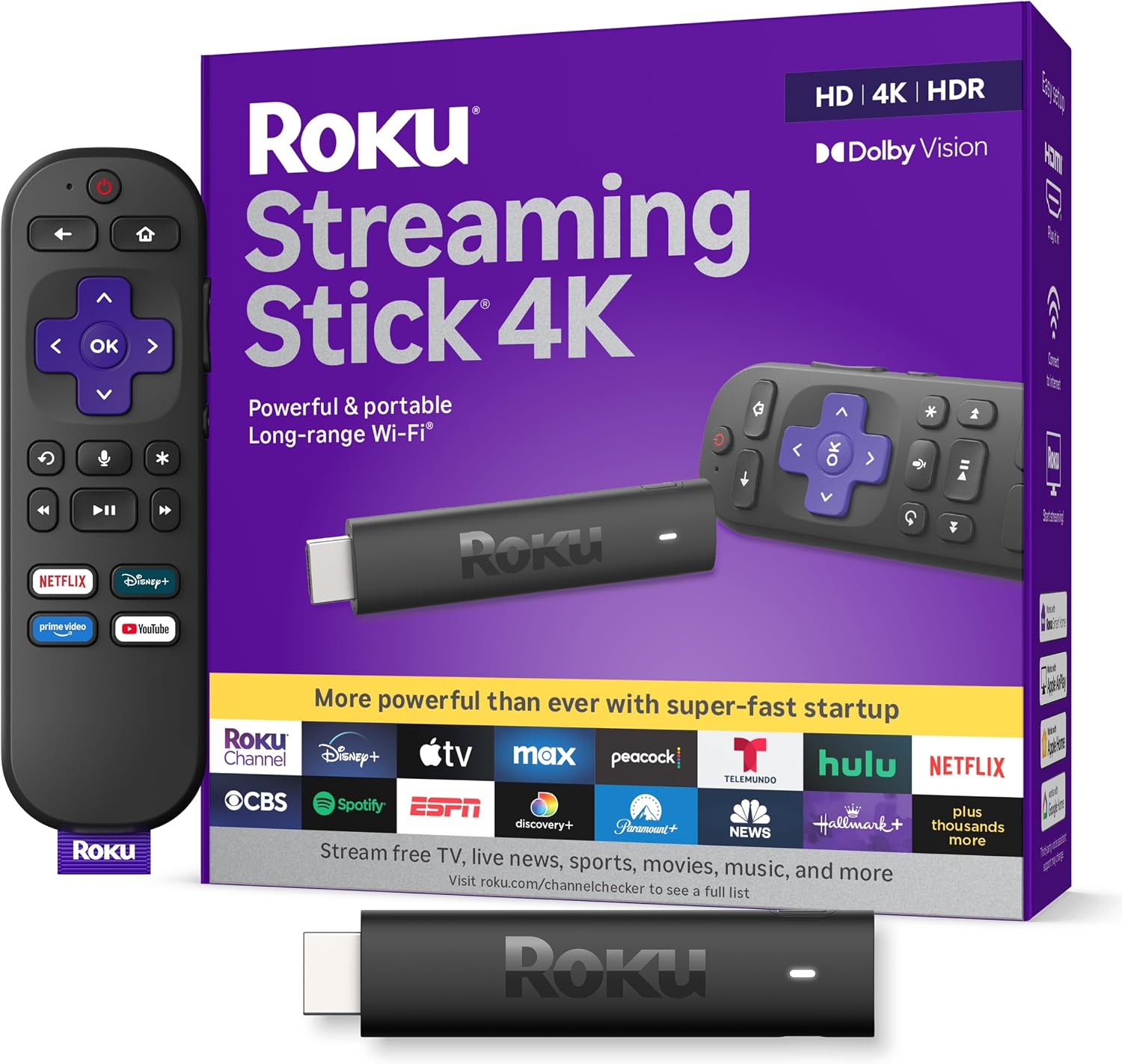
Roku describes the Streaming Stick 4K as "the easiest way to give any 4K TV the ultimate upgrade." Here's what the listing, the product details and Roku's comparison chart say about it:
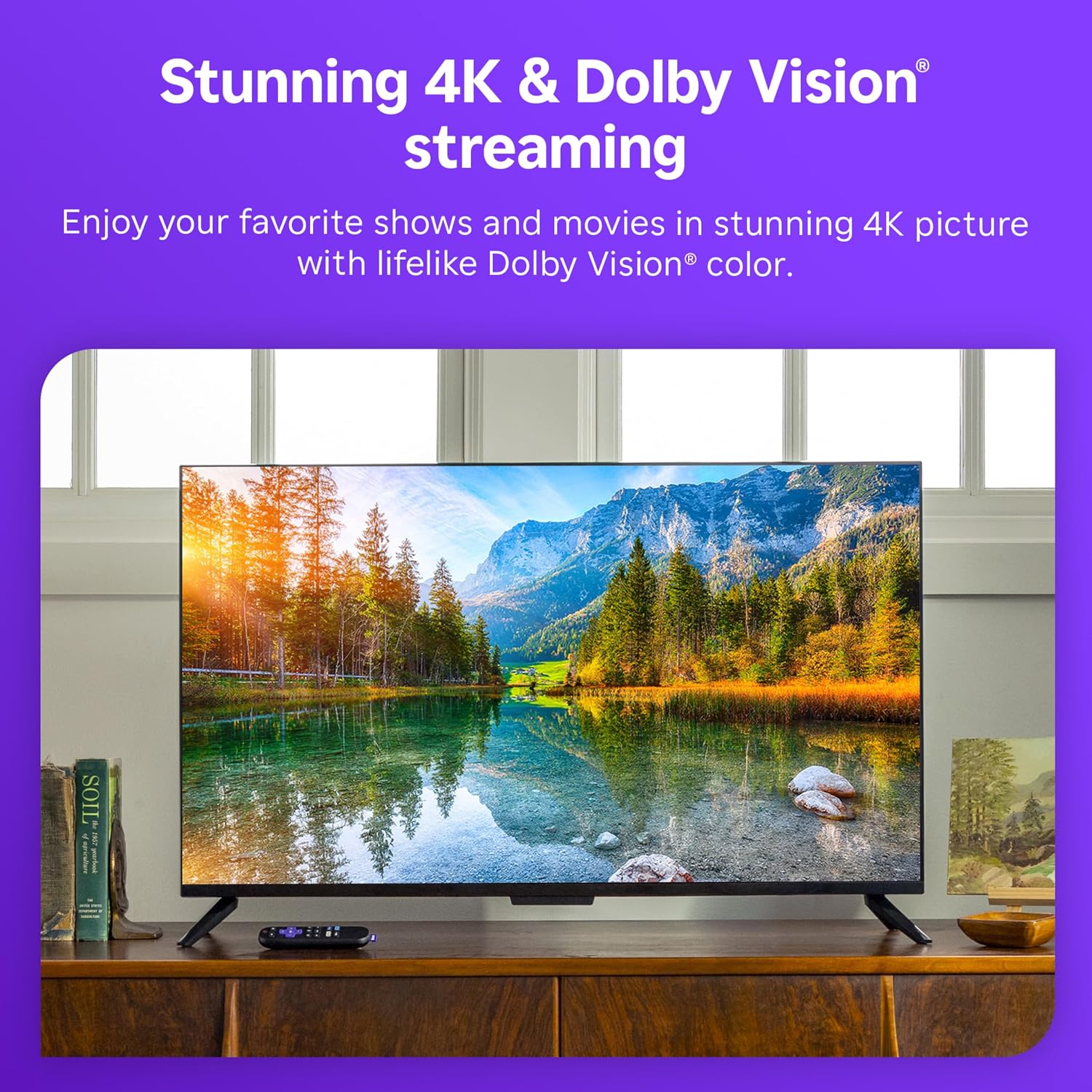
- Picture: 4K Ultra HD up to 2160p at 60fps, with HDR10, HDR10+ and Dolby Vision. Roku says 4K is "four times the resolution of HD." It also plays HD, so it still works on a 1080p TV, you just won't see the 4K benefit.
- Video codecs: H.264/AVC, H.265/HEVC, AV1 and VP9 are listed.
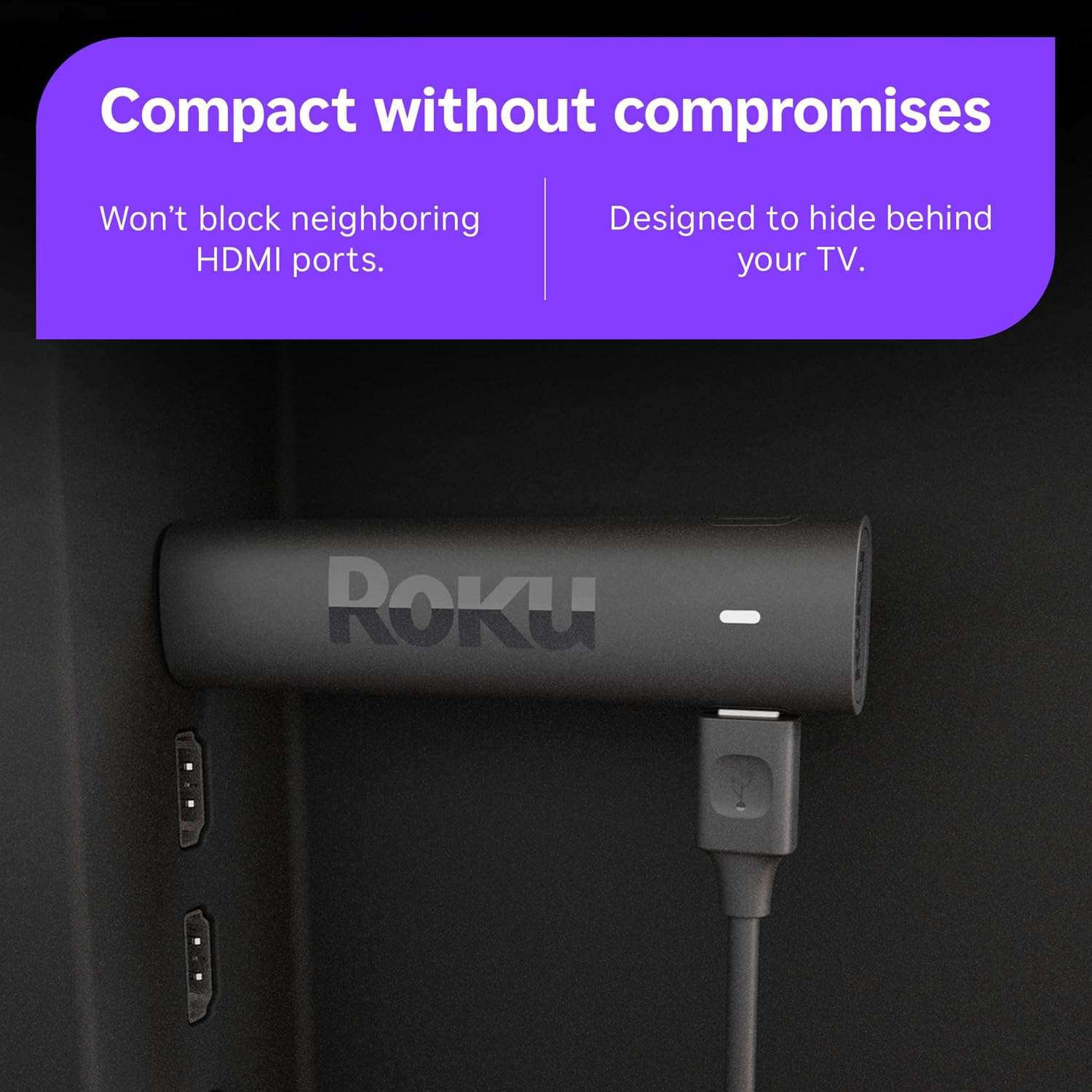
- Wi-Fi: a long-range Wi-Fi receiver is built into the USB power cable, which Roku says helps in "rooms farther from your router." There is no Ethernet port on this model.
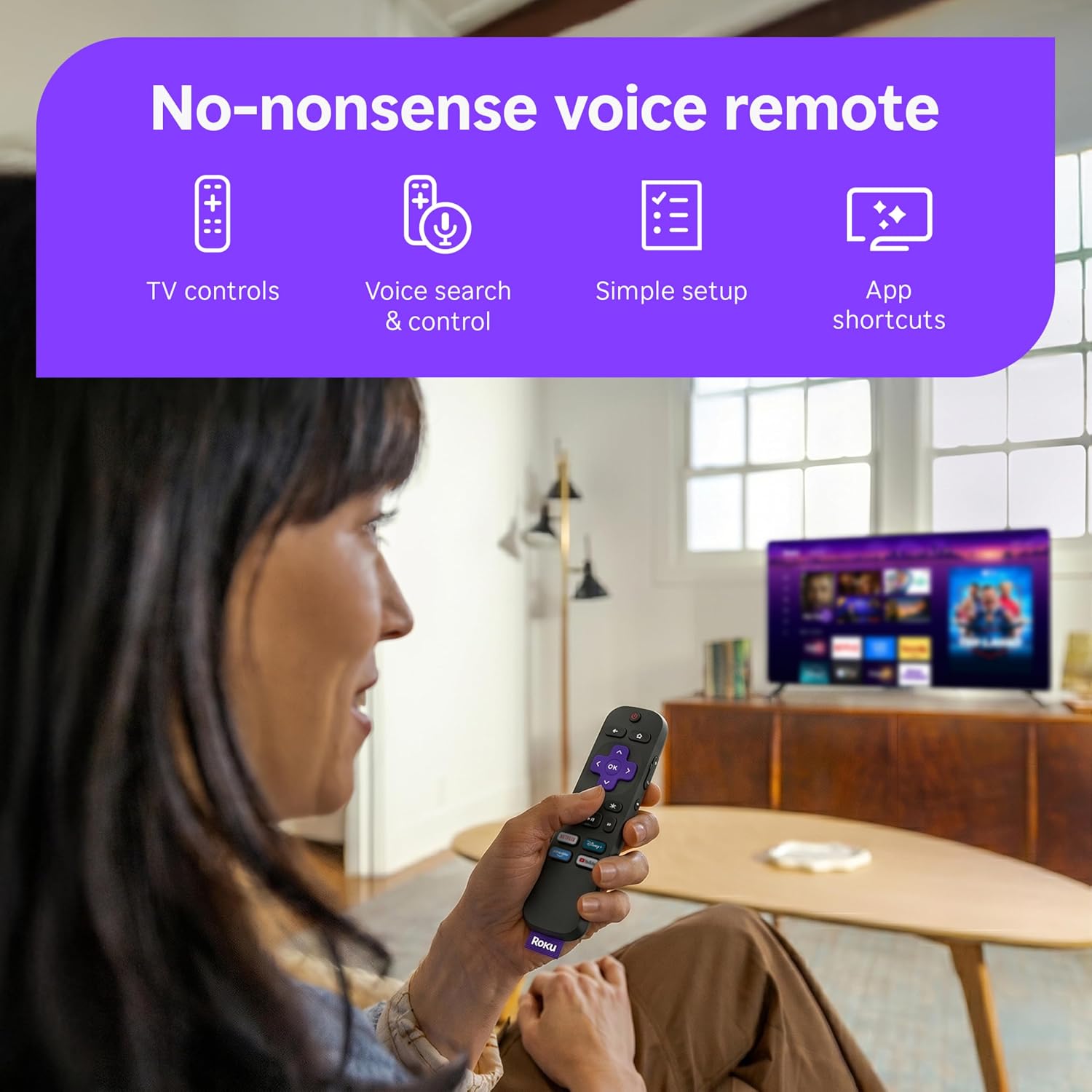
- Remote: the Roku Voice Remote with push-to-talk voice search, TV power, volume and mute buttons, and app shortcut buttons. Two AAA batteries come pre-installed.
- Smart-home and casting: Roku's comparison chart lists Apple AirPlay support and "works with voice assistants." The listing photos show Alexa, Google Home, Apple Home and Roku Smart Home logos.
- Private listening: the chart says headphone mode works through the free Roku mobile app on this model.
- Free TV: Roku advertises 500+ free live TV channels with news, weather and sports in its Live TV guide, on top of paid apps like Netflix, Prime Video, Hulu and Disney+.
- Size: 3.7 x 0.8 x 0.45 inches and about 25.5 grams. Roku says it "won't block neighboring HDMI ports" and is designed to hide behind the TV.
- Memory: 1 GB of RAM and 16 GB of storage, according to the product information table.
What's in the box
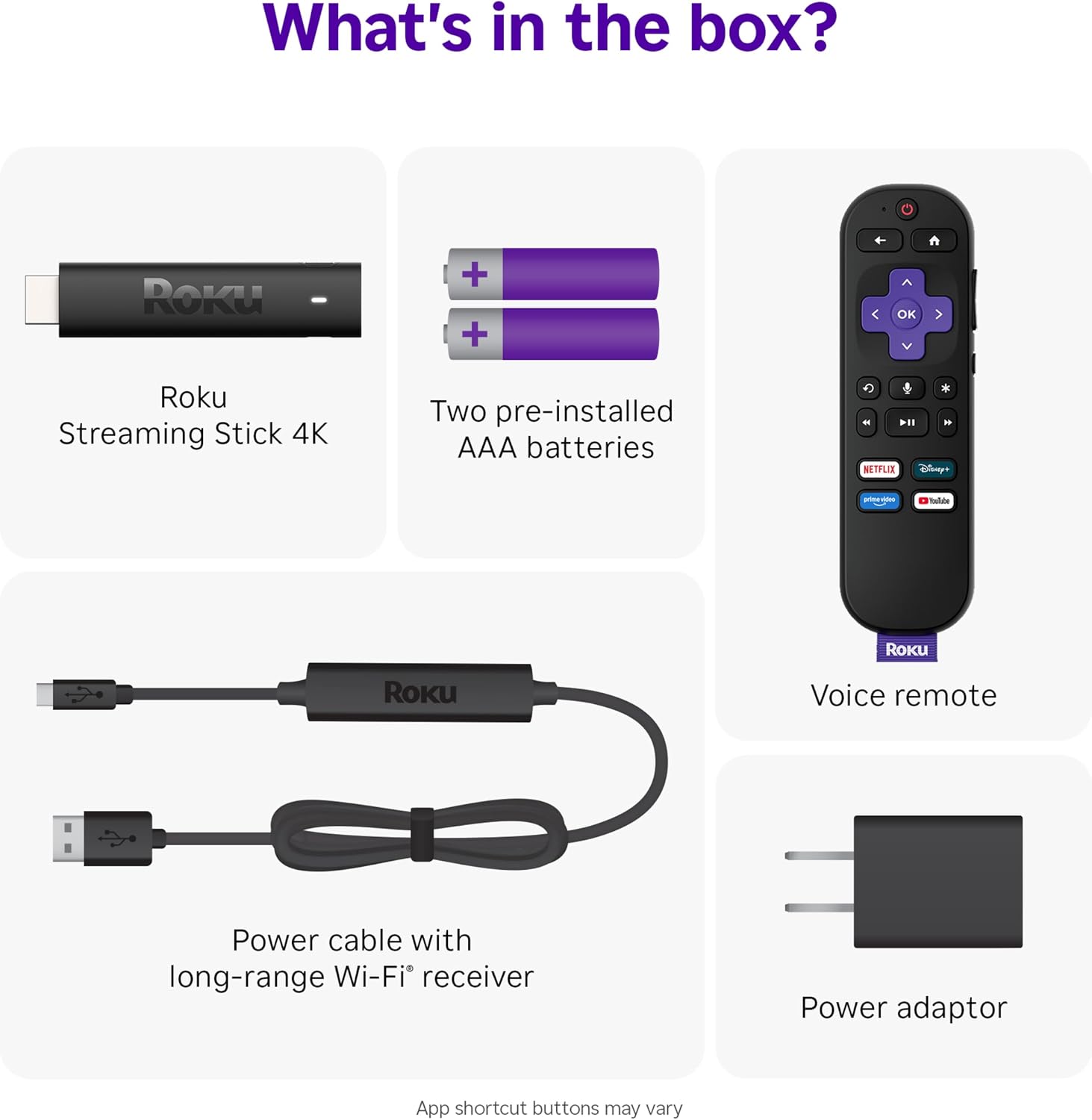
Roku's "What's in the box?" photo lists five things: the Roku Streaming Stick 4K, the voice remote, two pre-installed AAA batteries, the USB power cable with the long-range Wi-Fi receiver, and a power adapter. You don't need to buy anything else except the internet connection and whatever paid subscriptions you want. One practical note: plan on using the included wall adapter. The long-range receiver lives in that cable, and one reviewer's only complaint was that "the power cord needs to be longer," so check that an outlet sits within reach of the TV.
Setup and everyday use
Setup is the part reviewers praise most. You plug the stick into an HDMI port, plug the power cable into the wall, connect to Wi-Fi and sign in to a Roku account. Amazon's review topics showed ease of use at 1,392 mentions, 1,303 positive and only 89 negative, one of the best ratios on the page. One buyer said it was "quite simple and fast to set up," and another called it "Fast and easy to hook up."
Day to day, the Roku home screen is a grid of your apps, and the listing photos show newer features like a "For You" row, quick sports access, search across apps and "jump back in to continue watching." Roku also says you can manage 70+ subscriptions with one Roku login. For non-techy relatives, the big win is that the Roku remote can control the TV's power and volume too, so one reviewer said they could store the TV remote away because "we no longer need it for the volume."
It's also handy for travel. Roku says you can "take your TV to-go" without logging in to someone else's device, and one reviewer mentioned using it in an RV with a phone hotspot with no lag. Another liked the Guest mode option, which they compared to a hotel TV that auto-clears stored data at checkout.
Picture quality and speed
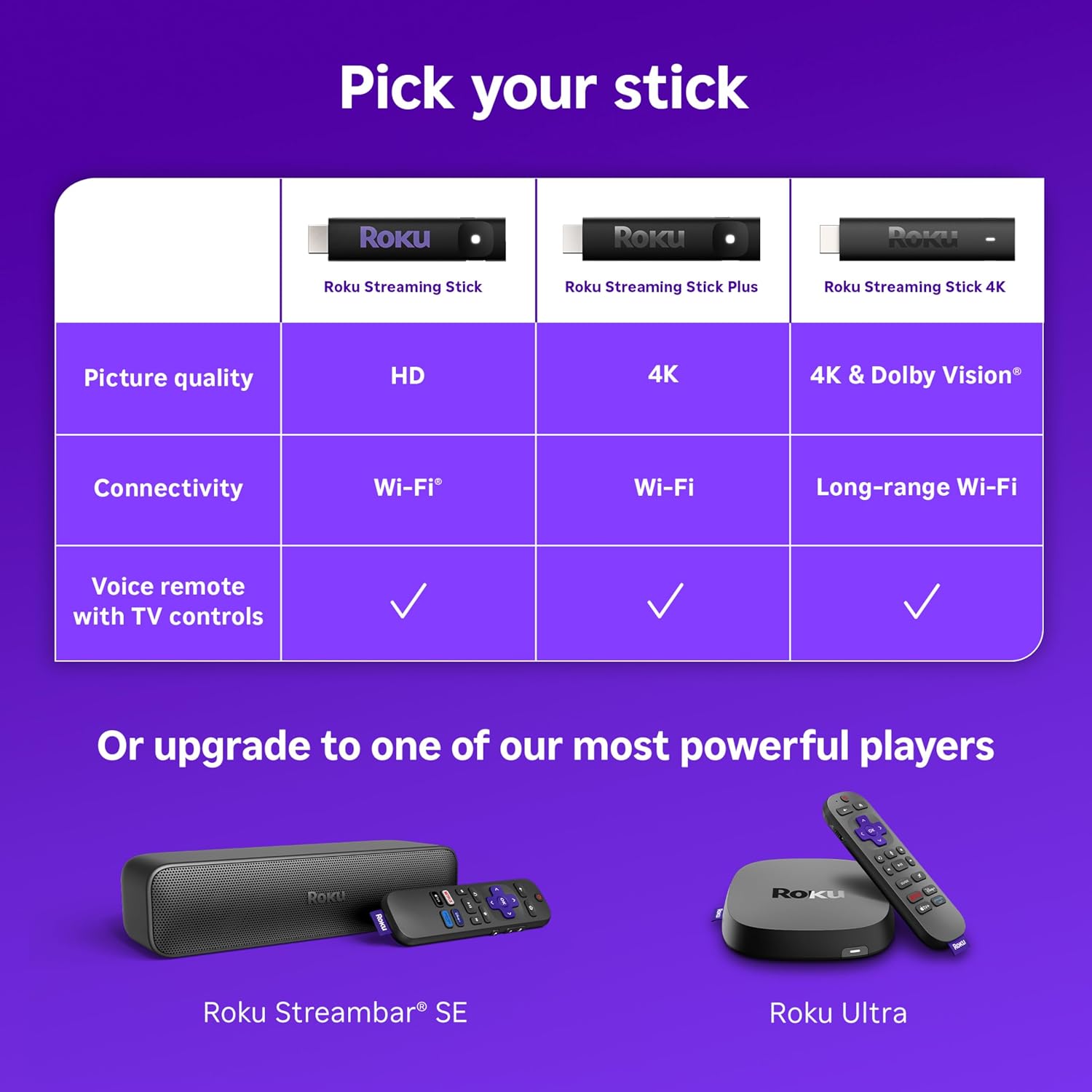
This is the reason to choose the 4K over Roku's cheaper sticks. With Dolby Vision and HDR10+ both supported, it covers the two main HDR formats that streaming apps use, so a compatible TV can show brighter highlights and richer color. Roku's own comparison chart shows the step-down Streaming Stick Plus has 4K and HDR10+ but not Dolby Vision, and the basic Streaming Stick is HD only.
Buyers mostly agree on speed. Performance was the most-mentioned topic at 4,833 mentions, 4,397 positive and 436 negative, and speed had 753 mentions, 599 positive and 154 negative. Amazon's summary says the device "boots up quickly, streams without lag, and is responsive." The box itself claims it's "More powerful than ever with super-fast startup." One reviewer wrote that it gave them "4k HDR, simple, quick and easy to use." A minority disagree; one called the stick itself "OK. Slow," so don't expect it to match a premium box like the Roku Ultra.
What buyers say
Amazon's AI review summary says customers find it works "right out of the box," is "noticeably faster with no lags," and is a "great value, noting it's cheaper than cable." Here are the review topics Amazon showed when we checked:
- Performance: 4,833 mentions, 4,397 positive and 436 negative. One buyer called it "a great product."
- Functionality: 3,673 mentions, 2,887 positive and 786 negative. One reviewer with two non-smart TVs said it "works great instead of buying a whole new set."
- Value for money: 1,774 mentions, 1,491 positive and 283 negative. Several buyers mention cutting the cord with it.
- Ease of use: 1,392 mentions, 1,303 positive and 89 negative.
- Speed: 753 mentions, 599 positive and 154 negative.
- Remote control: 1,375 mentions, 625 positive and 750 negative. This is mixed, see below.
- Connectivity: 988 mentions, 412 positive and 576 negative.
- Reliability: 1,247 mentions, 301 positive and 946 negative.
The star breakdown was 83% five stars, 10% four stars, 3% three stars, 1% two stars and 3% one star. That's 93% four or five stars across almost 100,000 ratings, which is a very strong result for any electronics product.
The weak spots: remote and reliability
We'd be doing you a disservice if we skipped this. The three negative-leaning topics on the page are the remote, connectivity and reliability, and Amazon's summary says plainly that "the device's reliability is concerning, with multiple customers reporting it fails after a few hours of use." Reviews in those groups describe remotes that stopped responding ("The remote stopped working. We used it for 2 months"), a wireless receiver error ("error code 022, wireless receiver not detected"), and units that needed to be unplugged and replugged to work again.
Keep it in proportion: 1,247 reliability mentions out of 99,477 ratings is a small slice, and the overall average is still 4.7 stars. But it's a pattern worth planning for:
- Test it soon after it arrives. If it's a gift, consider setting it up before you wrap it, or include the receipt, so any dud can be returned in the window.
- Use the included cable and adapter. The Wi-Fi receiver is part of the power cable, so swapping in a random USB cable or a weak TV USB port can cause connection trouble.
- Know your remote options. Roku's free mobile app can act as a remote, and the listing's "frequently bought together" box showed the Roku Voice Remote Pro (2nd Ed.), which Roku lists as compatible with all Roku players. Be careful with cheap "Roku TV" replacement remotes: the 2-pack replacement Roku TV remote we reviewed says on its own listing that it does not work with Roku sticks.
- Check the seller. When we checked, the featured offer was sold and shipped by a third-party seller (DirectSupplyClub), not Amazon.com. Look at the seller name and return terms before you buy.
Roku Streaming Stick 4K vs. other streaming sticks
Roku's own comparison chart on the listing makes the choice fairly simple. These are the prices it showed when we checked, and they change often:
| Model | Picture | Ratings | Chart price |
| Roku Streaming Stick | HD | 4.6 stars, 25,999 | $24.00 |
| Roku Streaming Stick Plus | HD, 4K, HDR10+ | 4.6 stars, 10,964 | $48.35 |
| Roku Streaming Stick 4K | HD, 4K, HDR10+, Dolby Vision, long-range Wi-Fi | 4.7 stars, 99,477 | $58.99 |
| Roku Ultra | HD, 4K, HDR10+, Dolby Vision, Wi-Fi 6, Ethernet, Dolby Atmos | 4.4 stars, 9,113 | Not shown (buying options only) |
If the TV isn't 4K, save money with the HD stick; we cover it in our Roku Streaming Stick HD review. If the TV is 4K and supports Dolby Vision, the 4K stick is the sweet spot, since it's the cheapest Roku stick in the chart with Dolby Vision and the long-range receiver. The Roku Ultra adds Ethernet, Wi-Fi 6, Dolby Atmos, a rechargeable hands-free remote with backlit buttons and a lost-remote finder; the chart didn't show a price for it when we checked, so compare before you choose. If the household already lives in Amazon's world with Alexa and Prime Video, compare it with the Amazon Fire TV Stick 4K Select too.
Who it's a good gift for
- Anyone with a 4K TV and a clunky built-in smart TV system. If their TV's built-in apps feel slow or cluttered, a stick is a cheap upgrade that brings one consistent home screen.
- Cord cutters. Buyers say it's "cheaper than cable," and the 500+ free live channels help fill the gap.
- Parents and grandparents. Simple setup, one remote for TV and streaming, and voice search for titles.
- Second TVs, bedrooms, basements and RVs. The long-range Wi-Fi receiver is built for TVs far from the router, and several reviewers bought extra sticks for other rooms.
- Apple households. AirPlay support lets iPhone users cast photos and video.
It's a weaker pick for someone who needs a wired Ethernet connection, wants Dolby Atmos from a soundbar, or has an HD-only TV and won't upgrade soon.
Tips for gifting the Roku Streaming Stick 4K
- Check the TV first. It needs a free HDMI port and a nearby outlet. For the full picture benefit, the TV should be 4K, ideally with Dolby Vision or HDR10+.
- Write down the Wi-Fi password. Setup needs Wi-Fi and a Roku account, so tuck the network name and password in with the gift for a relative.
- Pair it with a surge protector. If the TV corner is short on outlets, our YISHU 8-outlet surge protector is an easy add-on.
- Watch for holiday price swings. One reviewer said they bought theirs "on a black Friday sale," and the listing showed $58.99 against a $79.99 list price when we checked.
For more gift ideas in the same price range, see the soundcore Q20i headphones, the PS5 DualSense controller, or browse every pick in our Christmas Deals 2026 gift guide.
Pros and cons
Pros
- #1 Best Seller in Streaming Media Players, #6 in all of Electronics, 10K+ bought in the past month
- 4.7 stars from 99,477 ratings, with 93% four or five stars
- 4K with both Dolby Vision and HDR10+, plus AV1, HEVC and VP9 codec support
- Long-range Wi-Fi receiver for TVs far from the router
- Voice remote controls TV power and volume
- Very easy setup (1,303 positive vs. 89 negative ease-of-use mentions)
- Small enough to hide behind the TV without blocking other HDMI ports
Cons
- Reliability and remote complaints are the most negative review topics
- No Ethernet port, Wi-Fi 6 or Dolby Atmos (those are Roku Ultra features)
- Needs a wall outlet near the TV for the included power adapter
- Featured offer was from a third-party seller when we checked
Our verdict
The Roku Streaming Stick 4K is the best-selling streaming player on Amazon right now and an easy gift for almost any 4K TV owner. When we checked on November 5, 2026, it showed 10K+ bought in the past month, the #1 Best Seller badge in Streaming Media Players, #6 in all of Electronics and 4.7 stars from 99,477 ratings, at $58.99 against a $79.99 list price. You get Dolby Vision and HDR10+, a long-range Wi-Fi receiver and a voice remote that runs the TV too, and buyers overwhelmingly say it's fast and simple. Test it early, keep the receipt and check the seller, because the remote and long-term reliability are its known weak spots.
Frequently Asked Questions
Does the Roku Streaming Stick 4K work on a non-4K TV?
Yes. Roku's comparison chart lists HD as well as 4K picture quality, so it works on an HD TV with a free HDMI port. You only get the 4K, Dolby Vision and HDR10+ benefits on a TV that supports them. If the TV is HD only, the cheaper Roku Streaming Stick HD is the better value.
Does the Roku Streaming Stick 4K support Dolby Vision and HDR10+?
Yes. The listing says it supports 4K up to 2160p at 60fps with Dolby Vision, HDR10 and HDR10+. Roku's chart shows it is the only one of its three sticks with Dolby Vision; the Streaming Stick Plus has 4K and HDR10+, and the basic stick is HD.
What comes in the box?
The stick, a Roku Voice Remote with TV power, volume and mute buttons, two pre-installed AAA batteries, a USB power cable with the long-range Wi-Fi receiver, and a power adapter, according to Roku's What's in the box photo.
Does the Roku Streaming Stick 4K need a subscription?
No. There is no Roku fee. Roku advertises 500+ free live TV channels, and paid apps like Netflix, Hulu or Disney+ need their own subscriptions. You do need Wi-Fi and a free Roku account to set it up.
Does it have an Ethernet port?
No. It connects by Wi-Fi only, using the long-range receiver built into the power cable. Roku's chart lists Ethernet and Wi-Fi 6 on the Roku Ultra instead.
What are the most common complaints?
The remote and reliability. When we checked, Amazon's review topics showed 750 negative vs. 625 positive remote mentions and 946 negative vs. 301 positive reliability mentions, with some units failing or losing connection. That is a small share of 99,477 ratings, but test it early and keep the receipt.
Will a cheap Roku TV replacement remote work with this stick?
Not always. Many low-cost replacement remotes are made only for Roku TVs. The 2-pack replacement Roku TV remote we reviewed says on its listing that it is not compatible with Roku sticks. Roku's free mobile app can also act as a remote.
How popular is the Roku Streaming Stick 4K on Amazon?
When we checked on November 5, 2026, the listing showed 10K+ bought in the past month, the #1 Best Seller badge in Streaming Media Players, #6 in all of Electronics, and 4.7 stars from 99,477 ratings.
More Christmas Deals We Reviewed
- Christmas Deals 2026 hub
- Play-Doh 10-Pack Review
- Ms. Rachel Speak & Sing Doll Review
- LeapFrog LeapTop Touch Review
- Razer BlackShark V2 X Headset Review
- Flip 7 Card Game Review
- Gaiam Thick Yoga Mat Review
- Disney Woody Talking Figure Review
- soundcore Q20i Headphones Review
- UNO Card Game Review
- PS5 DualSense Controller Review
- soundcore P30i Earbuds Review
- Logitech G305 Gaming Mouse Review
- Fujifilm Instax Mini Film Twin Pack Review
- NOCO Boost GB40 Jump Starter Review
- LHKNL Headlamp Review
- Levoit Classic 160 Humidifier Review
- Crayola Clicks Markers Review
- Lite-Brite Classic Review
- ShopTheSpark home
As an Amazon Associate, I earn from qualifying purchases. Prices and availability subject to change.